

How to Provide Liquidity
- Access the app
Open app.soroswap.finance. - Connect your wallet
Use a Stellar/Soroban-compatible wallet. Make sure you have enough XLM for transaction fees. - Navigate to the Liquidity section
In the app, select Liquidity to view existing pools
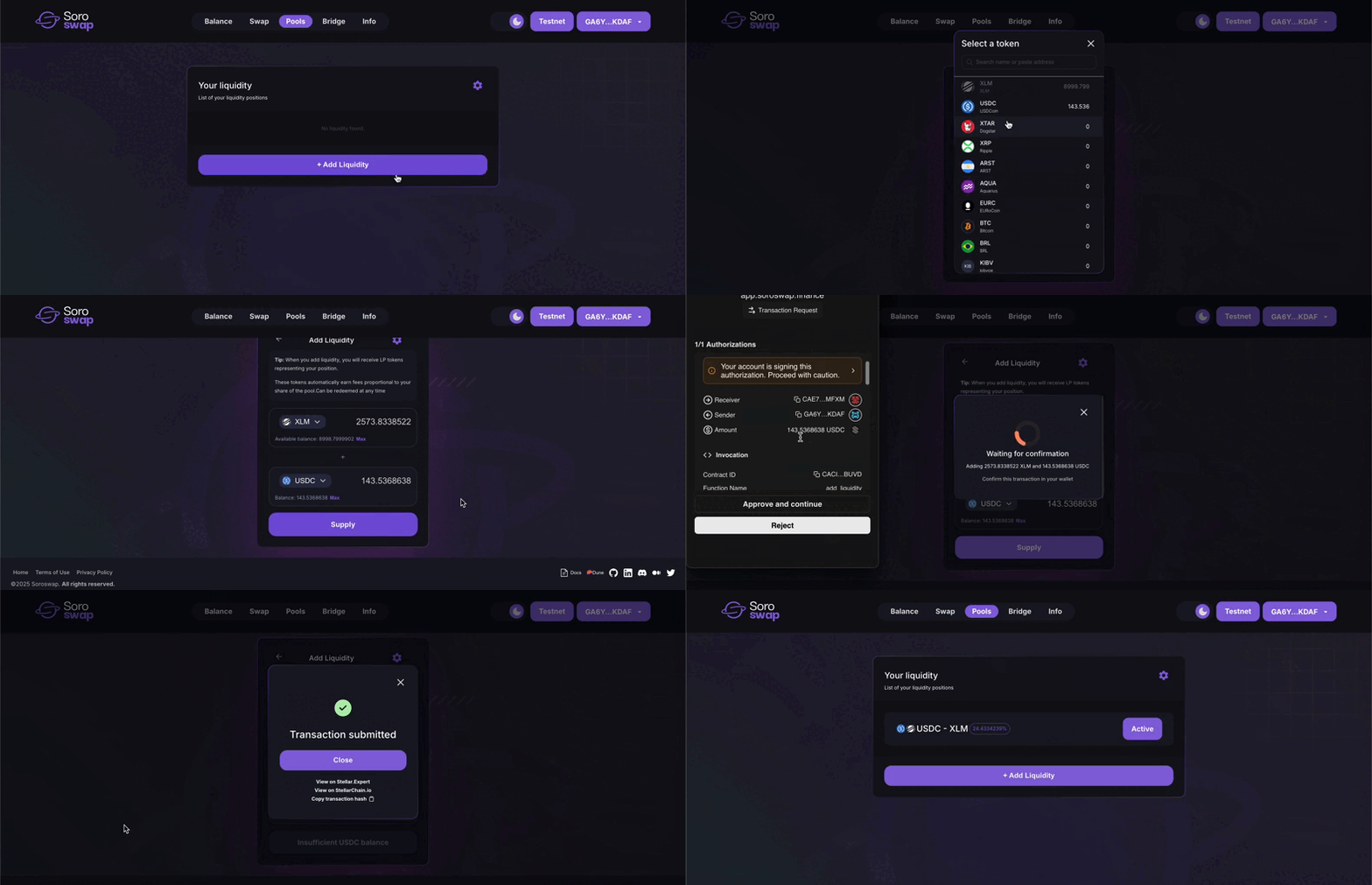
- Deposit both assets
- Enter the amounts of each asset you want to deposit.
- The ratio must match the current pool price (or, when creating a new pool, you set the initial price).
- Receive pool tokens
After a successful deposit, you’ll receive pool tokens that represent your share of the pool’s liquidity.
Key Notes
- Initial liquidity providers set the initial price of a new pool.
- All liquidity pools follow the formula:
x * y = k, wherekis constant. - Removing liquidity: You can withdraw your assets at any time by burning your pool tokens, receiving your share of the assets plus accumulated fees.
📘 Need a full walkthrough? Check
Adding Liquidity l Remove Liquidity